Customizing Autoblocking
Cookie Compliance comes preset with a list of Providers and URL Patterns organized by purpose category. URL Patterns allow the autoblocking feature to identify and block any non-essential scripts or iFrames until a positive consent is recorded.
The preset list of Providers and URL Patterns covers many of the common website services - if you see the name of the Provider in the preset list, you can assume we have you covered. If you do not see the name of a Provider in any of the categories in the autoblocking page, you can add the Provider and their associated URL Patterns by clicking "+ Add Provider".
PRO DOMAINS ONLY - RECAPTCHA EXAMPLE
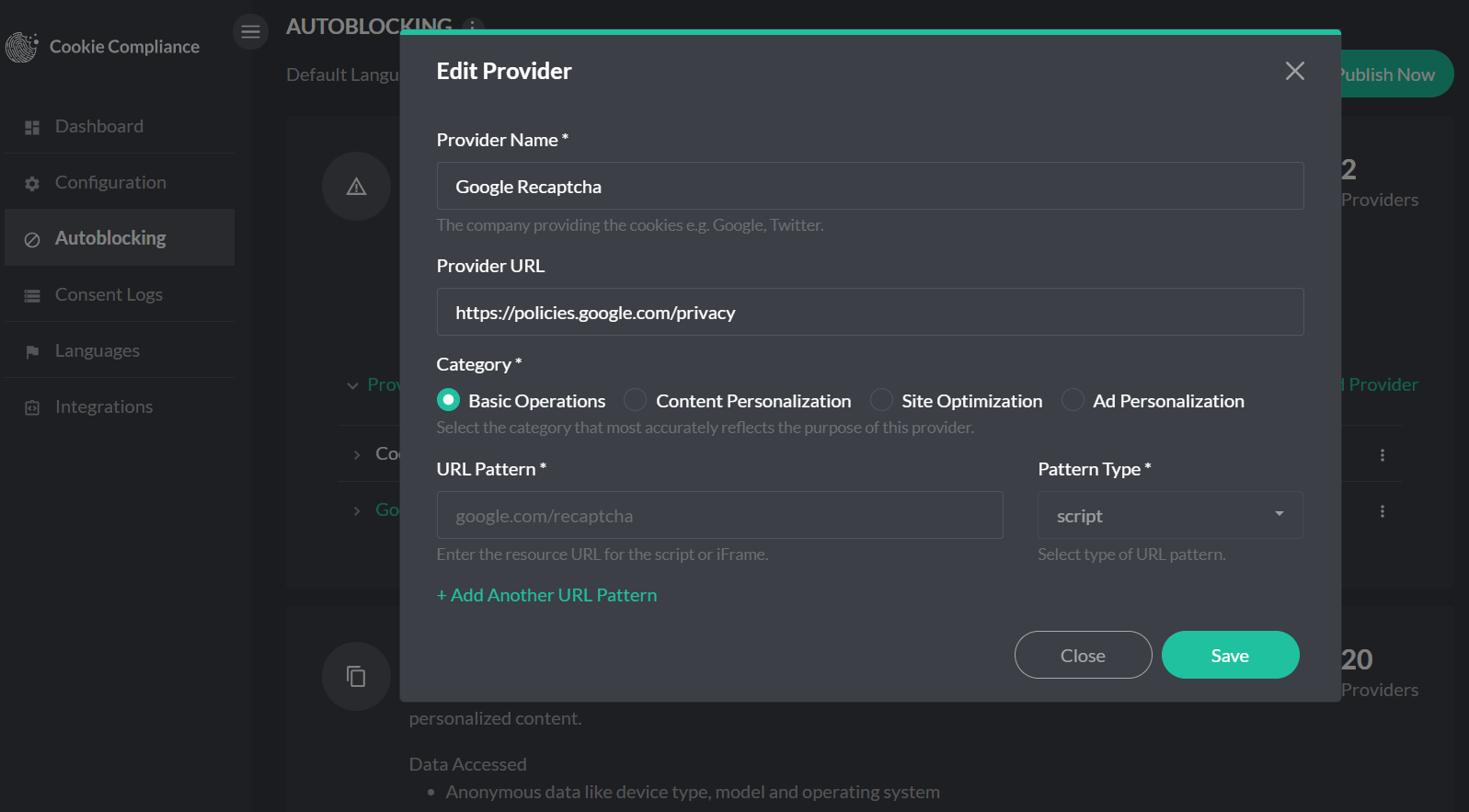
Step 1: Update the Category
Navigate to the Autoblocking page and change the category for the Google reCaptcha script from "Content Personalization" to "Basic Operation".
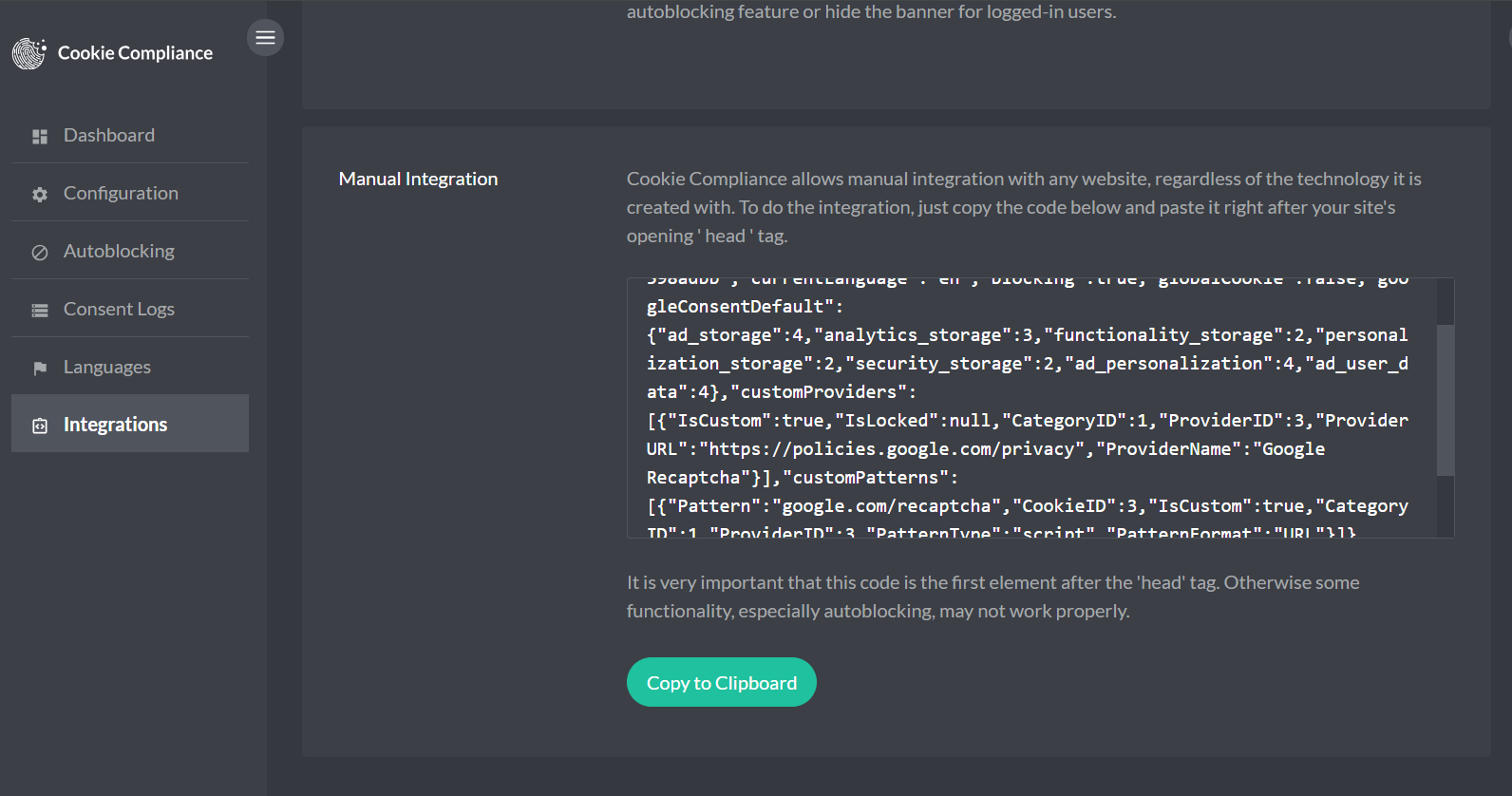
Step 2: Update Your Site Script
After saving the category change:
- Go to the Integrations page (in the left-hand menu).
- Copy the newly generated script.
- Replace the existing script implementation on your website with this updated version.
This two-step process ensures the change is fully applied and functional on your site.